LIP30 Day 13
One thing I noticed is that the this TIL site breaks when I go to, https://johnnytong.com/til without the trailing slash
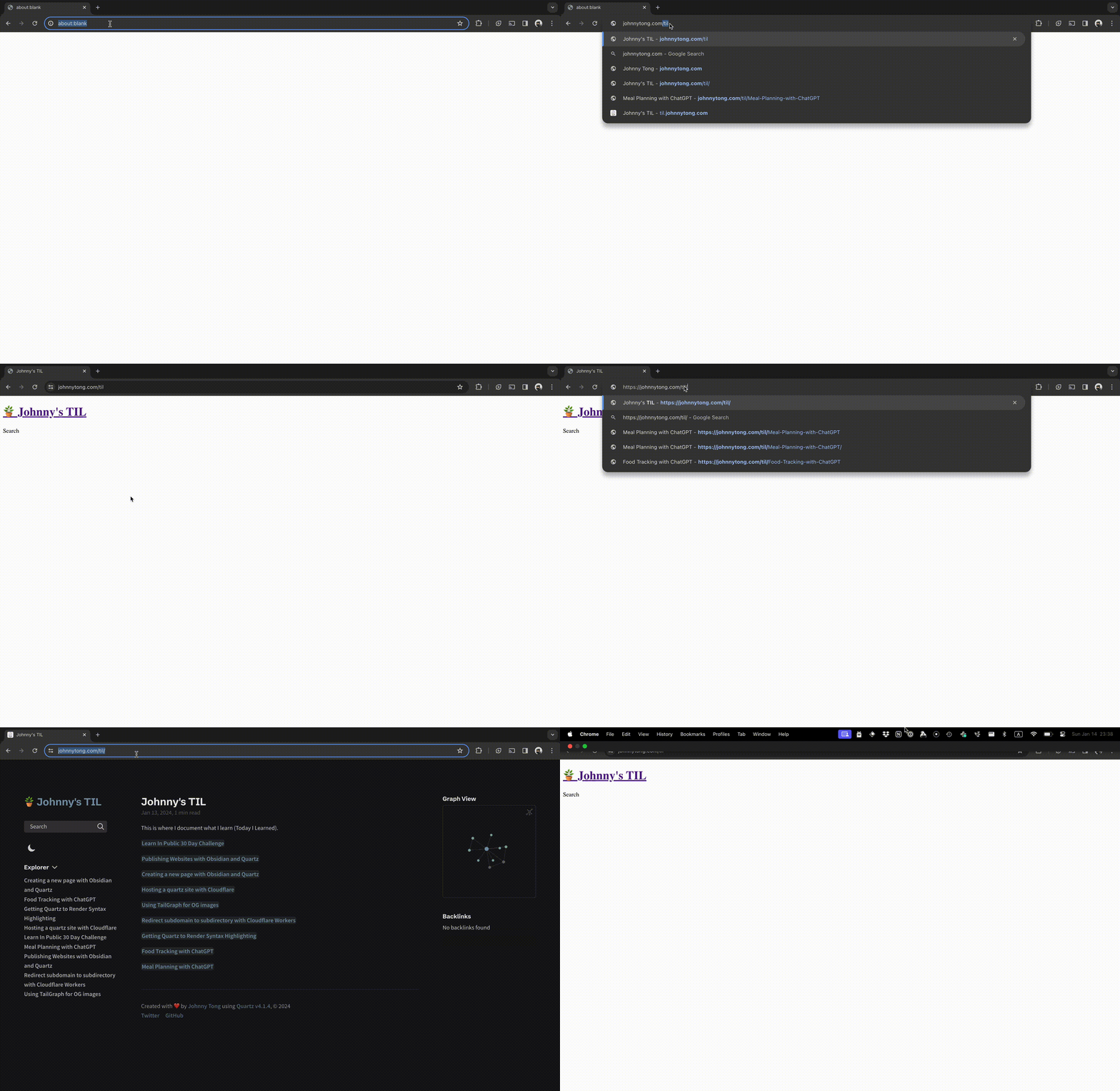 but as soon as I add a slash at the end
https://johnnytong.com/til/
the site renders correctly.
Digging into the developer console, I can see there were several asset files that are not requesting the right URL.
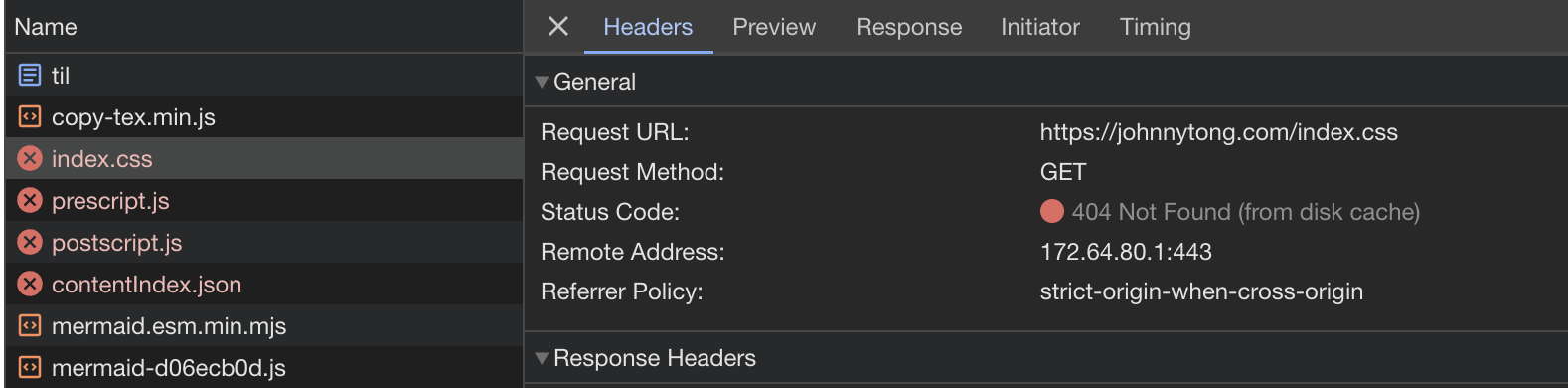 Instead of requesting
 johnnytong.com/til/index.css
Fundamentally, the url johnnytong.com/til and johnnytong.com/til/ are two different urls.
I noticed there was some confusion around trailing slashes on URLs, so I hope this helps. tl;dr: slash on root/hostname=doesn't matter; slash elsewhere=does matter (they're different URLs) pic.twitter.com/qjKebMa8V8
— I am John - 🍟 Say no to cookies, biscuits only 🍪 (@JohnMu) December 19, 2017
Since we want users typing in johnnytong.com/til to go to johnnytong.com/til/. We can use Cloudflare to perform a redirect.
In the Cloudflare dashboard, we navigate to Redirect Rules then create a new Dynamic Redirect
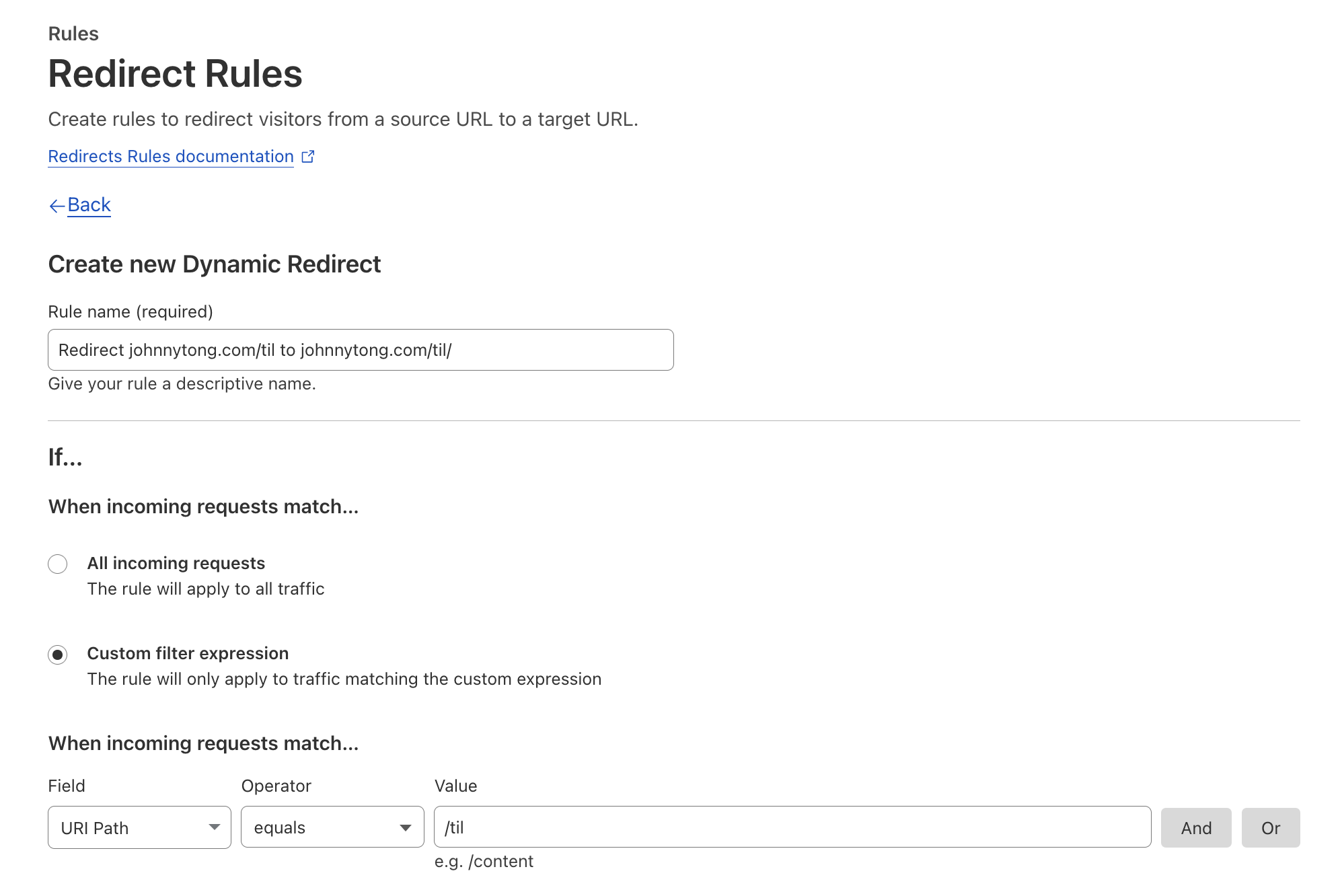
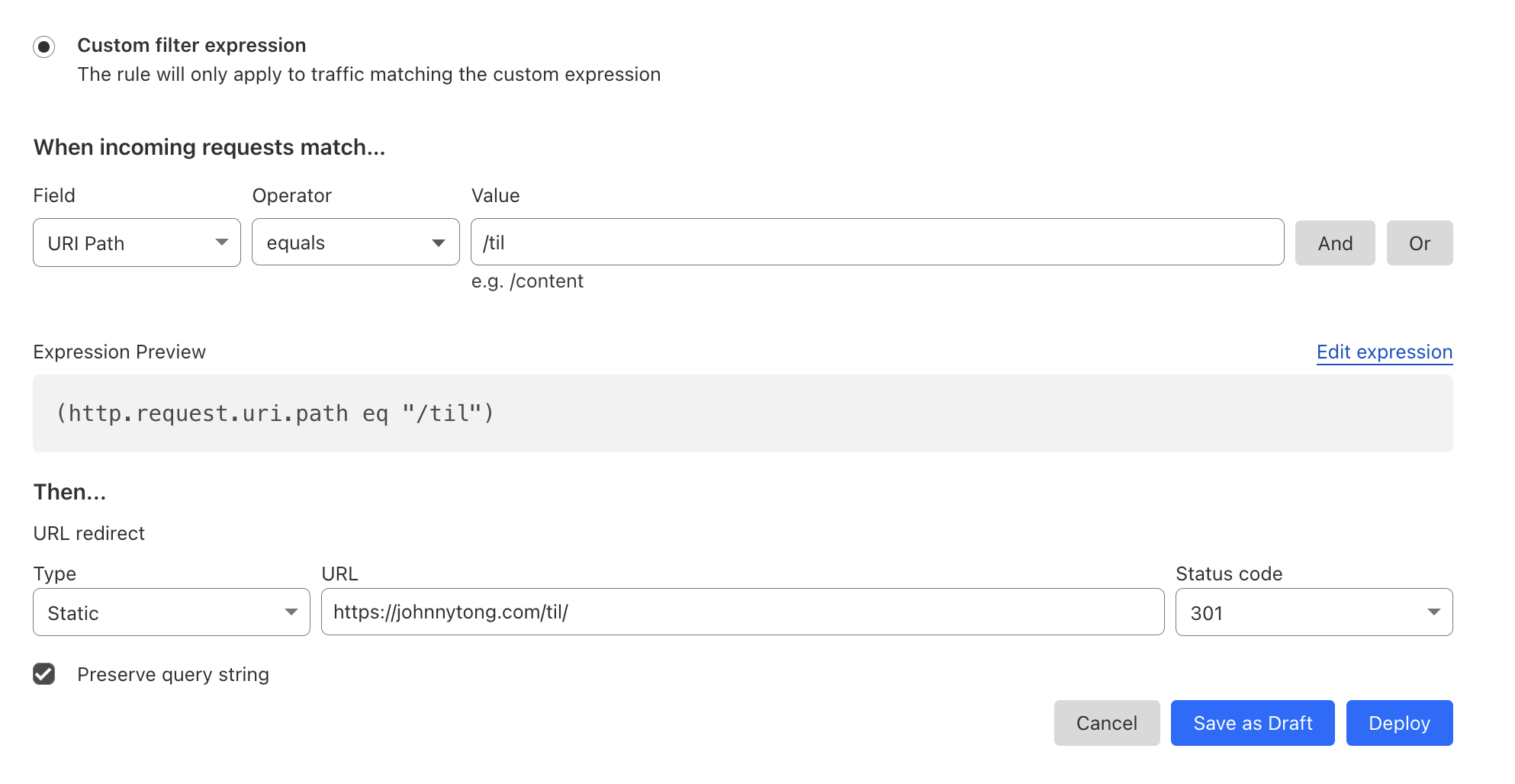
Set a “Custom filter expression” to URI Path that equals to /til and redirect it to https://johnnytong.com/til/ with a 301 redirect.
Voila!
Now johnnytong.com/til redirects to johnnytong.com/til/