LIP30 Day 30 🎉
In yesterday’s TIL article, Running “ChatGPT” locally on a Mac, I showed how to run an open source large language model, Mistral 7B, locally on my MacBook Pro. The experience is quite rudimentary. You have to issue commands on the command line and none of the conversations are saved for future references.
I started looking online for a web UI and discovered a cool project called Ollama Web UI.
Ollama Web UI is a community project that implements a web UI that talks to the Ollama backend. Because it is a web UI, it can take in different inputs like images and it can be used like ChatGPT 4 Vision.
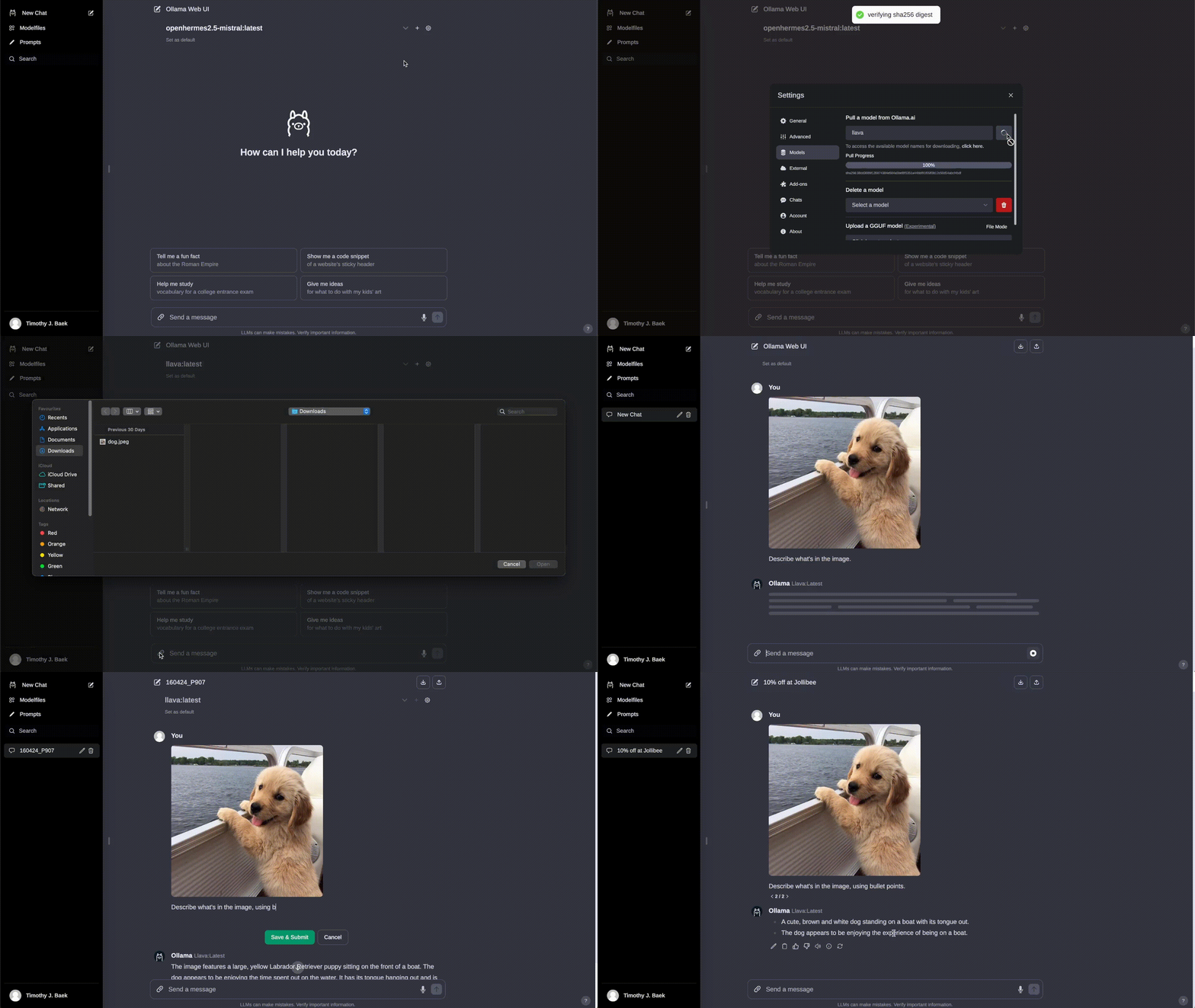 source: https://github.com/ollama-webui/ollama-webui
Not only does it take in images, each conversation is saved and can be retrieved on the sidebar just like ChatGPT. Best of all, Ollama and Ollama Web UI are open sourced.
These two projects give users a compelling alternative to ChatGPT. Although ChatGPT with the GPT4 model is still the most advanced model available, the world of open source models is catching up quickly and provides freedom to those who want to have better control over their technology.
It definitely gives me peace of mind knowing that my chats are kept local and not submitted to an online service.